Best Google Review Automation Tools to Manage, Request & Respond Faster in 2025
Compare top Google review automation tools for small businesses. Save 5+ hours a week, boost local SEO, and respond faster with the right software.
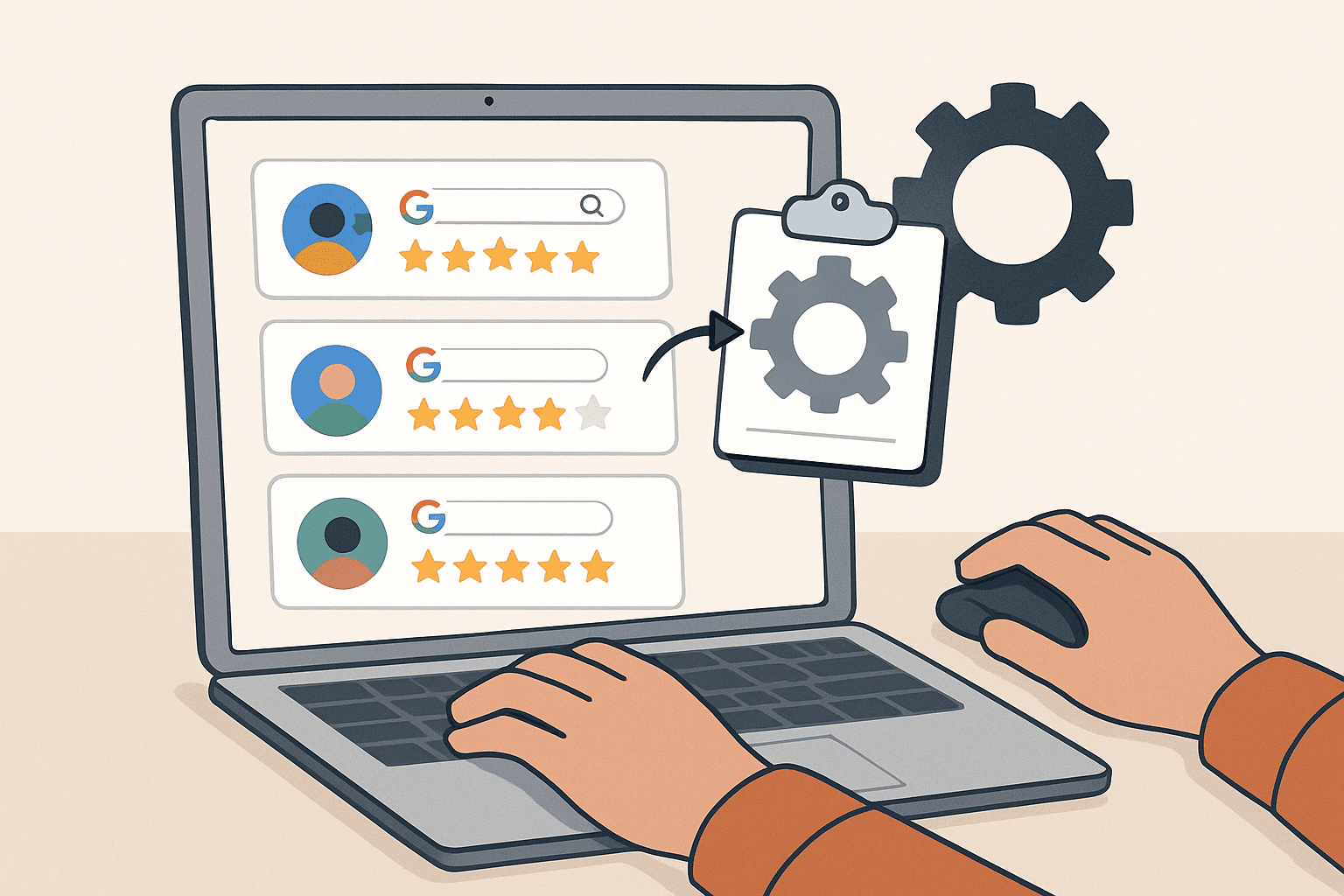
Google review automation tools handle the entire review lifecycle, sending post-transaction requests, monitoring new reviews, and drafting responses, without manual effort. The right tool can cut review management time from five hours a week to under thirty minutes, while helping small businesses build the review volume and response rate that local search rankings reward.
What Is Google Review Automation and How Does It Work?
Think of google review automation like setting up an email drip campaign: you define the triggers, write the messages, and the software handles the timing and delivery. Google Business Profile powers local search results for more than 5 billion searches per day, yet there is no native scheduling or automation built into the platform itself. Every automation tool connects to Google through an API or third-party integration, meaning the capability lives entirely outside Google's own dashboard. Understanding that distinction is the first step toward choosing the right tool.
There are two distinct workflows in any automation setup: outbound (sending review requests) and inbound (monitoring incoming reviews and triggering responses). Google's own support community confirms that native automation is not a feature of Google Business Profile, making third-party software the only practical path.
How does the review automation process work from start to finish?
The full cycle runs in five steps:
- A trigger event fires, such as a completed purchase or a service appointment closing.
- Your CRM or POS passes the customer's name, email, phone number, and transaction date to the automation tool via API.
- The tool sends a personalized review request by email or SMS with a direct link to your Google review page.
- The customer clicks the link and posts their review on Google.
- The tool captures the new review in real time and notifies your team, ready for a response.
The difference between automating review requests and automating responses
Request automation is proactive: it sends outbound asks after a transaction to drive review volume. Response automation is reactive: it monitors incoming reviews and drafts or posts replies to keep response times short and consistent. Both serve different goals, but the combination is what makes review management genuinely scalable. Most SaaS platforms bundle both functions into a single dashboard, so businesses do not need separate tools for each workflow.
Is automating Google reviews allowed under Google's terms of service?
Google's privacy policy and review guidelines prohibit incentivizing or fabricating reviews, but they do not ban automated review request tools. Sending a well-timed, honest request to a real customer is permitted. What crosses the line is offering discounts, gifts, or any reward in exchange for a positive review. For a full breakdown of getting more Google reviews without violating policy, the key rule is simple: ask genuinely, never incentivize.
Why Small Businesses Can't Afford to Manage Google Reviews Manually
Businesses that respond to at least 25% of their Google reviews earn, on average, 35% more revenue than those that don't, according to Google's own research. Yet for a typical small business owner handling reviews manually, reaching that 25% threshold can consume hours of weekly effort that most simply do not have.
The hidden time cost of manual review management
Manual review management typically costs a small business owner between 3 and 5 hours per week. Multiplied across 52 weeks, that equals 156 to 260 hours per year spent on tasks a software tool could handle in seconds. At a conservative estimate of $50 per hour for an owner's time, that translates to $7,800 to $13,000 in lost productivity annually, before accounting for missed reviews or slow responses that quietly erode revenue.
How slow response times damage your local SEO and customer trust
Google's local ranking algorithm weighs three core signals: relevance, distance, and prominence. Response activity contributes directly to prominence. When a business ignores reviews, it weakens that signal and slides down the local pack. One widely cited figure from ReviewTrackers notes that 53% of customers expect a business to respond within 7 days, and missing that window damages both customer satisfaction and search visibility. For service businesses such as a repair shop, a single unanswered negative review can cost multiple future bookings.
What happens to your Google My Business ranking when reviews go unanswered?
Google has publicly stated that responding to reviews improves local visibility. When reviews go unanswered, especially negative ones, Google My Business serves those complaints to searchers with no counterpoint from the business. At the location level, this creates a compounding problem: low response rates suppress ranking while unaddressed criticism discourages clicks from potential customers who do find the listing.
The competitive gap between businesses using automation vs. those that don't
BirdEye's documented research shows that businesses using review automation tools generate 2 to 3 times more monthly reviews than non-users. In competitive categories like home services, dental, or retail, that volume gap translates directly into local pack dominance. For more context on competitive local SEO tactics, see our blog's coverage of local SEO tactics. Businesses that delay adopting these tools are not holding steady; they are falling behind as competitors grow their review counts every month.
Must-Have Features in Any Google Review Automation Software
Before you pay for any review automation software, ask yourself: does it do more than just send a request email? The gap between a basic tool and a full review management platform can mean the difference between a trickle of new reviews and a measurable lift in your local search ranking.
| Feature | What to Look For |
|---|---|
| Review Request Triggers | Post-purchase, post-service, post-visit; configurable delay windows |
| Real Time Monitoring | Webhook or API-based alerts, not just daily polling |
| Response Templates | Segmented by star rating; personalization tokens for name and service |
| Sentiment Analysis | 85-90% classification accuracy; routes negatives to support queue |
| Multi-Location Support | Separate dashboards per Google Business Profile location |
Automated review request triggers and timing controls
Trigger types vary by business model: post-purchase for e-commerce, post-service completion for field service businesses, and post-visit for location-based retail. Timing matters significantly. Sending a request within 24 hours of a positive experience can increase response rates by up to 40%. A well-configured automation app removes the guesswork by scheduling sends automatically based on the event type rather than relying on staff to remember.
Real-time review monitoring and alert notifications
Monitoring at scale requires either webhook-based push notifications or frequent API polling. Webhooks are faster and more efficient: the moment a new review posts, your tool receives a signal and fires an alert to your team via Slack, email, or SMS. The n8n workflow for automating Google Business reviews is a concrete example of this architecture, combining API-based monitoring with Slack alerts and Google Sheets logging in a single automated pipeline.
Customizable response templates for different review types
Effective templates are segmented by star rating. A 5-star response should celebrate the customer's experience and reinforce your brand. A 3-star response should acknowledge the mixed feedback and invite further conversation. A 1-star response requires the most care, specifically a calm, factual reply that includes the customer's name and references the specific service type. Generic, copy-paste replies read as automated even when they aren't. Adding personalization tokens that pull the reviewer's name and service category from your CRM data through an email integration makes every response feel considered.
Sentiment analysis and customer feedback categorization
Categorization does more than classify reviews as positive or negative. It routes feedback to the right team: a complaint about billing goes to accounts, a service complaint goes to operations. Some tools anonymize customer review data before passing it through their AI models, which is a meaningful privacy consideration for businesses handling sensitive personal data. Verify the tool's data handling practices before connecting your CRM.
Multi-location and Google My Business integration support
For franchises and multi-location service businesses, managing google reviews across dozens of profiles manually is not feasible. Multi-location support allows a single operator to monitor, respond, and request reviews across every location from one dashboard. Note that Google's API has rate limits that affect how quickly new reviews sync to third-party tools, so check each vendor's sync frequency before committing.
How AI Is Changing Google Review Management
AI won't replace your customer reviews, but it will outperform any human trying to respond to 50 reviews a day manually. The shift from template-based responses to genuinely contextual, AI-generated replies is already separating high-performing review profiles from the rest.
Can AI write personalized responses to Google reviews automatically?
Yes, with guardrails. LLM-based tools pull the reviewer's name, star rating, and keyword context directly from the review text to draft a tailored response before anyone on your team has read the original. The tool can then post the response automatically or hold it for approval. For 5-star and 4-star reviews, auto-post workflows are generally safe. For 1-star reviews, a human approval step is strongly recommended because the stakes of a poor response are significantly higher.
How AI-powered sentiment analysis surfaces customer experience trends
Artificial intelligence clustering groups reviews by recurring themes: wait time, staff friendliness, product quality, or pricing. Over a 6-month dataset, a restaurant chain might learn that 40% of its 3-star reviews mention slow delivery specifically, a pattern invisible when reviews are read one at a time. That kind of insight turns review data into an operational feedback loop. An AI-powered review analytics dashboard surfaces these clusters automatically, helping teams prioritize fixes that will move the rating needle.
What are the limits of AI in review automation tools?
AI misreads sarcasm, cultural nuance, and highly specific complaints with some regularity. Sentiment analysis accuracy benchmarks for top tools sit between 85% and 92%, which means roughly 1 in 10 reviews may be miscategorized. There is also a broader data privacy concern: customer review content processed by third-party AI models may be retained or used for model training depending on the vendor's terms. Review the vendor's privacy agreements carefully. Over-relying on AI responses without a human spot-check can make even a well-run business feel impersonal to the customers reading those replies.
How to Set Up Automated Google Review Requests Step by Step
A plumbing company in Austin set up their first automated review request workflow in a single afternoon. Within 30 days, their Google rating climbed from 3.9 to 4.4 stars, not because the service improved, but because satisfied customers finally had an easy, well-timed way to share their experience.
Here is a tool-agnostic six-step checklist for launching your first campaign:
- Choose a review automation SaaS tool that integrates with your existing CRM or POS.
- Connect your customer data source using a native integration or an API/Zapier connection.
- Define your trigger events and set a send window of 1 to 24 hours post-transaction.
- Write your review request message with a personalized greeting and a direct Google review link.
- Test the workflow end-to-end with a real transaction before going live.
- Monitor the first 30 requests manually to catch any deliverability or timing issues.
Most SaaS tools automating Google reviews setups take between 1 and 4 hours from sign-up to first live request.
Connecting your CRM or POS system to your review automation tool
Native integrations with platforms like Salesforce, HubSpot, and Square are the fastest path. If your software isn't on the native integration list, an API connection or a Zapier workflow can bridge the gap. The data fields your tool needs are straightforward: customer name, email address or phone number, transaction date, and location ID. Getting those four fields flowing correctly is the core technical requirement for any campaign.
Choosing the right trigger points, post-purchase, post-service, or post-visit
Match the trigger to your business model. An e-commerce store should fire the request after shipment confirmation, not at checkout, when the customer hasn't yet experienced the product. A field service business should trigger at job completion. A retail location or restaurant using a loyalty app can trigger on check-out. Choosing the wrong trigger point sends requests before the customer has formed a clear opinion, which reduces response rates and can surface premature negative feedback.
Writing review request messages that actually get clicks
Keep SMS messages under 3 sentences: a personalized greeting, one sentence explaining why you're reaching out, and a direct link to your Google review page. For email, add a subject line that references the customer's recent experience. BirdEye's workflow documentation confirms that review request messages with a direct Google review link see 3 to 5 times higher completion rates than generic asks. Never offer an incentive in the message; doing so violates Google's review policy and risks having your reviews removed.
How to set up a Google review auto-reply for common response scenarios
- Log into your tool's response settings and navigate to the auto-reply or template section.
- Create template sets segmented by star rating: one set for 4-5 stars, one for 3 stars, one for 1-2 stars.
- Toggle either full auto-send or an approval workflow depending on your comfort level and review volume.
- Monitor the first 30 auto-replies manually to ensure tone, personalization tokens, and customer data are populating correctly.
For a streamlined starting point, the OutportReviews dashboard includes pre-built template sets and approval workflows ready to configure on day one.
Key Benefits of Using Google Review Automation Tools
Five years ago, a small business with 50 Google reviews was considered well-reviewed. Today, local businesses in competitive categories average 150 to 300 reviews, and falling short means disappearing from the local pack. Automation tools are what closed that gap for thousands of businesses between 2020 and 2025.
How automated review generation improves local SEO rankings
Review generation at a consistent pace sends a clear signal to Google's local algorithm: this is an active, trusted business. Review quantity, recency, and diversity are all documented local ranking factors. A business that collects 10 new reviews per month will consistently outrank a competitor with the same average rating but only 2 new reviews per month, because consistent new reviews read as a proxy for relevance and customer engagement.
Building customer trust and improving your online reputation at scale
Consistent responses to both positive and negative reviews signal accountability and helps businesses build relationships with prospective customers reading your profile. According to BrightLocal's 2023 consumer survey, 79% of consumers read business responses to reviews before making a contact decision. For any business looking to repair a damaged rating or consolidate a strong one, managing your reputation management through consistent, timely responses is the most durable strategy available. Explore strategies for building review volume to combine automation with proactive outreach.
Saving time while increasing review volume and response consistency
A well-configured SaaS tool reduces manual review tasks from 5 hours per week to under 30 minutes. That time saving compounds: the hours reclaimed from monitoring and responding can go toward customer acquisition, service delivery, or operations. Podium's AI-assisted tools demonstrate how customer experience improvements and time savings compound together when automation handles both the request and response sides of the workflow. Consistency in response tone also builds trust across hundreds of reviews, reducing the risk of off-brand replies from stressed staff members.
Key Takeaways
- Google review automation tools handle both outbound requests and inbound response workflows, saving small businesses 5 or more hours per week on average.
- Sending review requests within 24 hours of a transaction can increase completion rates by up to 40%.
- AI-assisted responses reduce reply time from 48 hours to under 2 hours, but human review of 1-star responses is strongly recommended before posting.
- Google's policy permits automated review request tools; what is prohibited is incentivizing or fabricating customer reviews.
- Multi-location support, sentiment analysis, and real-time monitoring are the three features that separate basic tools from full reputation management platforms.
Frequently Asked Questions About Google Review Automation Tools
What is the best Google review automation tool for small businesses?
The best tool depends on your business size, CRM stack, and budget. For small businesses with a single location, options in the $30 to $100 per month range from platforms like Podium, BirdEye, or OutportReviews cover request automation, response templates, and basic monitoring. For multi-location businesses, expect to spend $150 to $300 per month for full feature suites including sentiment analysis, multi-profile management, and AI-assisted responses. Prioritize tools with native CRM integrations to minimize setup friction.
Does automating Google review requests violate Google's terms?
No. Google's support documentation confirms that automated review request tools are permitted as long as they send honest requests to real customers without offering incentives. What violates policy is:
- Offering discounts, gifts, or rewards for positive reviews
- Fabricating reviews using fake accounts
- Gating requests so only happy customers are asked
Honest, well-timed automated requests are fully compliant.
How many review requests can I send before Google flags my account?
Google has not published a hard numeric cap on review request volume. However, an unusual spike in new reviews in a short window can trigger Google's spam detection filters, which may result in reviews being held or removed. A best practice is to scale request volume gradually, matching it to your actual transaction volume rather than sending bulk requests to a historical customer list all at once.
Can customer satisfaction data from reviews improve my products or services?
Yes, and this is one of the most underused benefits of review management tools. Sentiment analysis clusters feedback by theme, making it possible to identify which service elements consistently generate complaints or praise. A business in travel hospitality, for example, might discover that check-in speed drives 60% of 5-star mentions. Acting on that data directly improves operations and closes the loop between customer feedback and operational decisions.
How do I handle negative reviews with an automated system?
Set up your tool to flag 1-star and 2-star reviews for human review before any auto-reply posts. Create a response template that acknowledges the issue calmly, avoids defensive language, and offers to resolve the problem offline. Tools that include an internal escalation workflow route flagged reviews to the appropriate team member automatically, ensuring that reputation repair happens quickly without requiring the owner to monitor the inbox continuously.